If you suddenly collapsed on a run or were hurt in a car accident, the paramedics working to save your life would want to know a few things fast: who you are, whether you have allergies or take medications, and who to call. Fortunately, your phone can tell them, even while it’s locked. Both iPhone and Android can show emergency information on the lock screen for first responders, ER staff, or even the Good Samaritan who is trying to help you. Walk through our step-by-step guide to set up this lifesaving feature in about 5 minutes.
The critical info
- Emergency contacts. Two or three people, with their relationship (spouse, parent, neighbor).
- Medical details you’re comfortable sharing. Allergies, medications, medical conditions, blood type.
- Anything that changes how someone should treat you, such as a severe allergy or a blood thinner.
One caution: this information is visible from the lock screen to anyone who picks up the phone. Include what would help a stranger or responder, and skip what you’d rather keep private.
iPhone
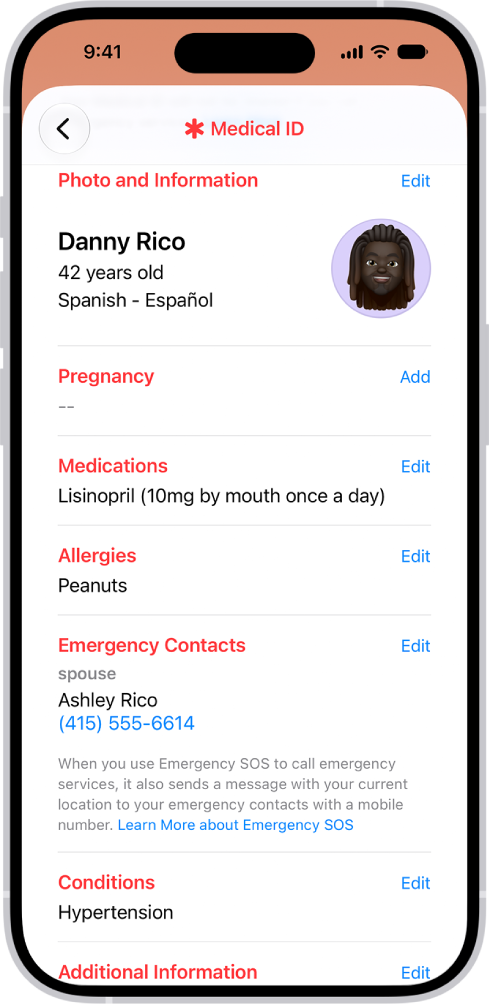
- Open the Health app and tap your profile picture in the top corner.
- Tap Medical ID, then Edit.
- Fill in your medical details and add emergency contacts.
- Turn on Show When Locked, so responders can see it without your passcode.
- Check the option to share it during an emergency call, if your iOS version offers one.
To test, lock the phone, swipe up to the passcode screen, tap Emergency, then Medical ID.
Android
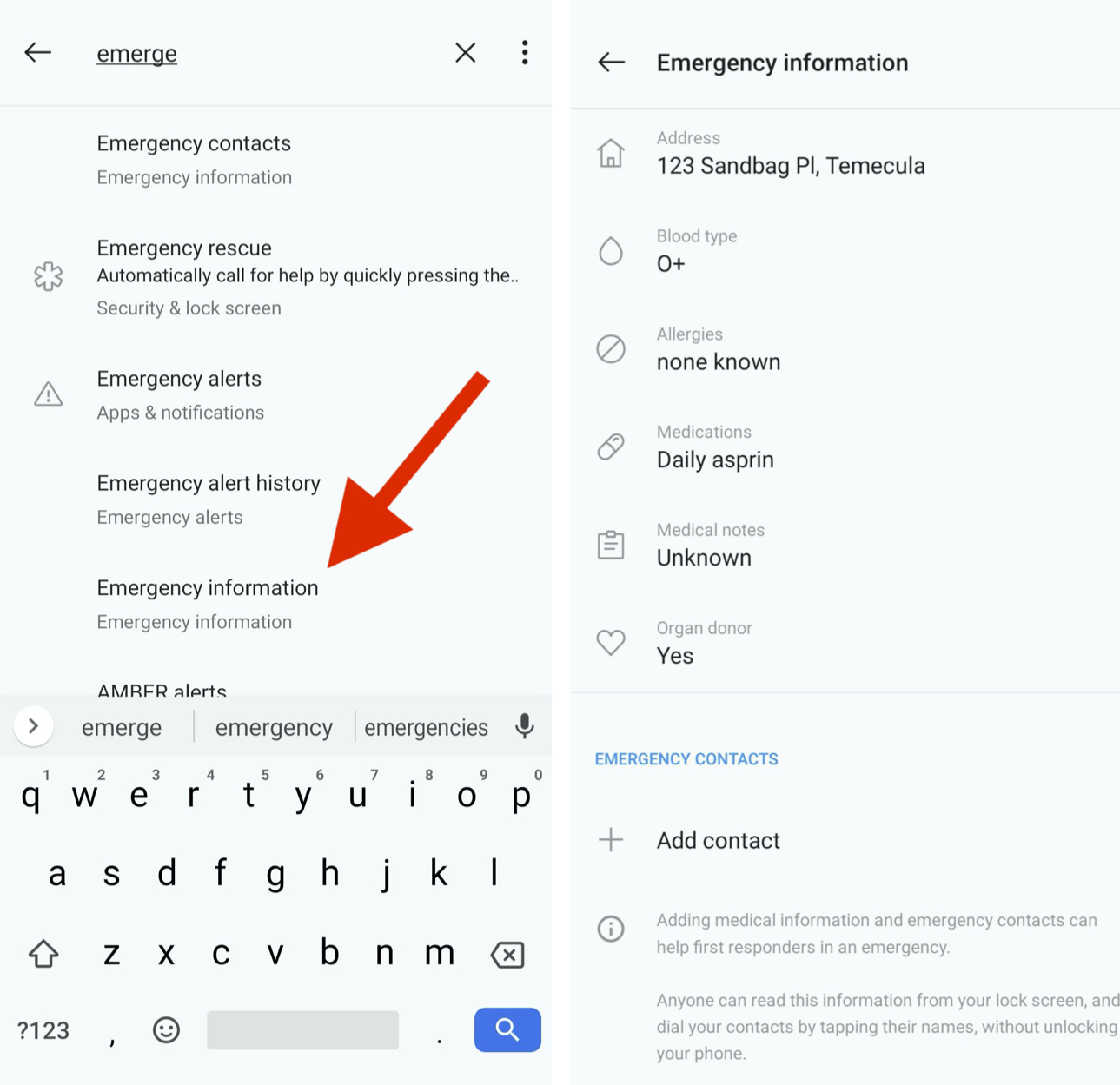
The exact path depends on your phone and software version, but on most phones it looks like this:
- Open Settings and look for Safety & emergency (on some phones it’s under Emergency or About phone).
- Add your Medical information and Emergency contacts.
- Make sure the information is available from the lock screen.
To test, open the lock screen, tap Emergency, and look for your information.
Don’t forget the kids and grandparents
Kids with phones and older relatives are the people most likely to need this and least likely to have set it up. Do it for them while you’re sitting next to them, and add yourself as an emergency contact on their phones.
Keep it up to date
Medications change, phone numbers change, people move. Put a yearly reminder on your calendar. Better yet, do it whenever you go to the doctor.